The Munga 2026Riders
Race day
Check you're tracked, then look after your battery.
ForRider
The Munga 2026 · 25–30 November 2026 · Bloemfontein to Wellington
At the start
- Open 3Trax Node. If there's a Finish setup card, deal with it now.
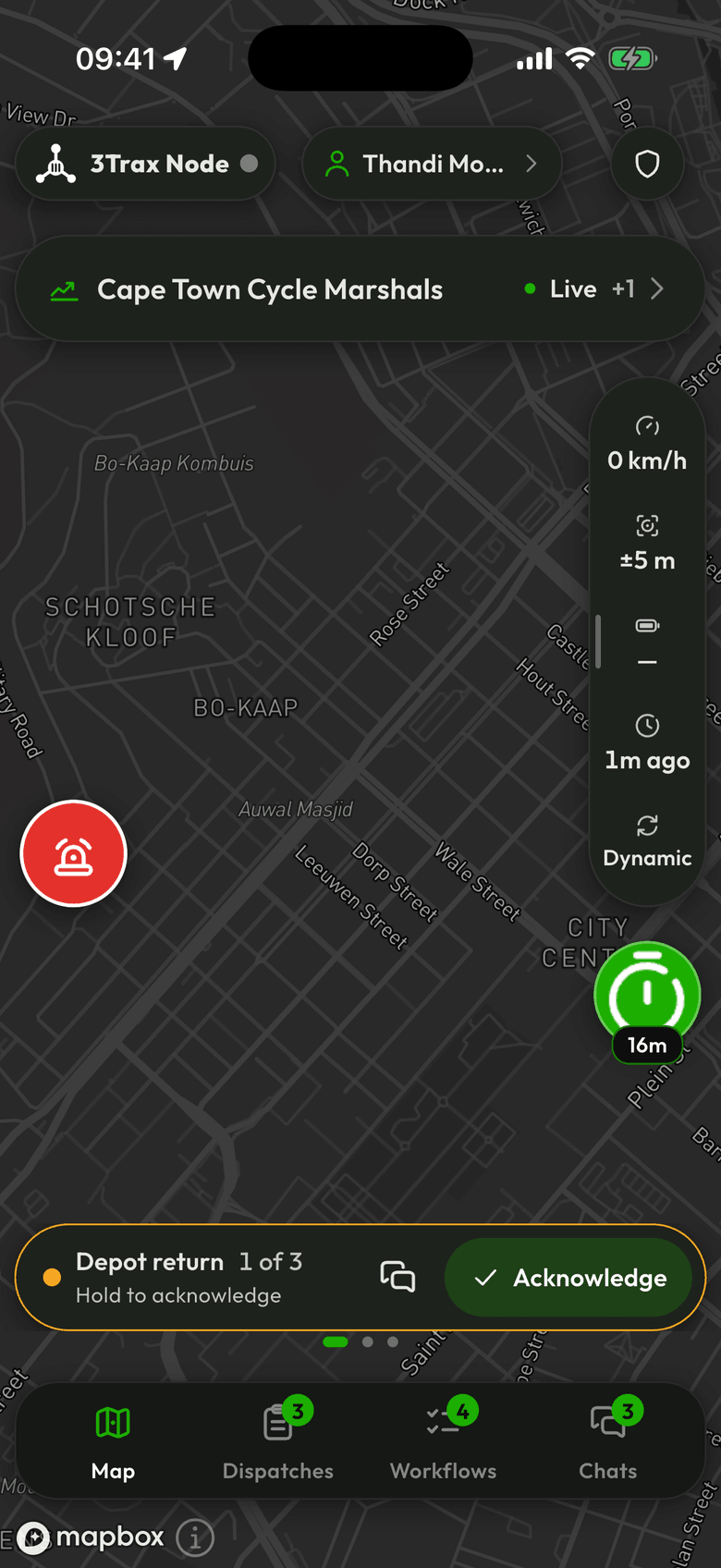
- Look for the event chip on the map. It says Live while the event runs.
- Check there's no “Location sharing is off” banner.
- Open the Tracking panel and check Last fix is recent.
- If the SOS button is there, note where it is. If not, ask the organiser what to do in an emergency.
Choosing a battery mode
Open the Tracking panel and use the mode picker.
- Lite uses the least power, and sends about one position a minute while you're moving.
- Dynamic sends more detail while someone is watching you, and backs off by itself as your battery falls.
- High sends the most and ignores your battery. It's a poor choice for days on end, unless you have plenty of charge.
While you ride
You don't need to do anything. Close the app if you like: tracking carries on.
- With no signal, positions wait on the phone. Pending in the Tracking panel shows how many.
- The app stays signed in between days. It signs out by itself an hour after the event ends.
- Don't sign out during the race. Tracking stops, and anything not yet sent is deleted.
- If the phone switches off, tracking stops until you turn it on again.