Following the live map
Watch a rider from anywhere, if the organiser shares a link.
ForSupporter
The Munga 2026 · 25–30 November 2026 · Bloemfontein to Wellington
If this event has a public live map, the organiser will share a link. You don't need an account or an app, just a browser.
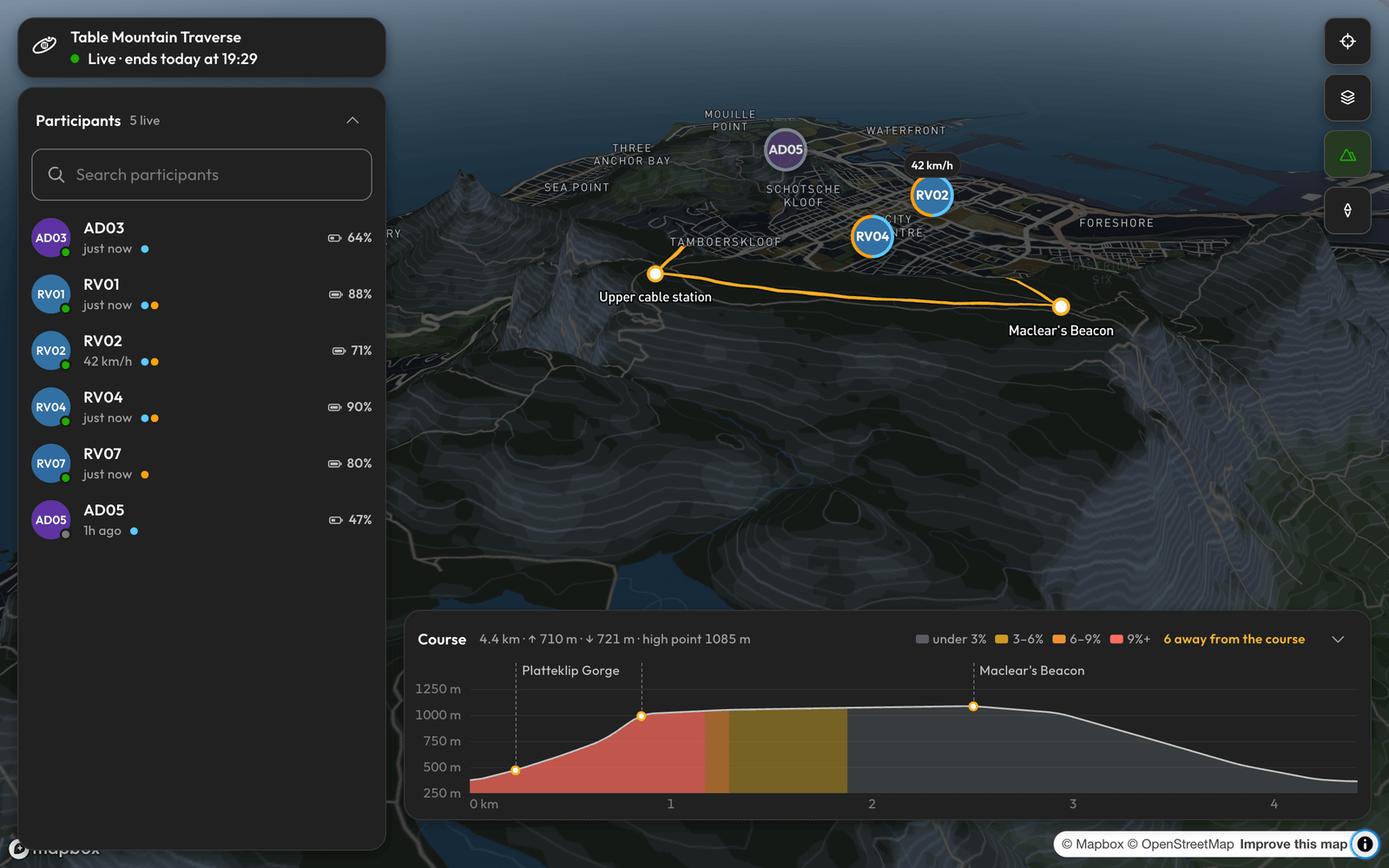
Find your rider
- Open the link.
- Open Participants and find your rider. If they joined with a code, their name has three digits added, like “Mike 623”.
- Click them to see their Speed, Battery and Updated, and how far along the course they are.
- Click Follow to keep the map on them.
Course shows the elevation profile, with riders on it. The route GPX isn't out yet, and it will be posted soon. The page can show the course once the organiser adds it.
What you may see
| You see | It means |
|---|---|
| “Live tracking opens when the event starts” | It's too early. The page switches on by itself. |
| “No position yet” | Their phone hasn't reported yet. |
| “not live” | That's their last known position. |
| “Live tracking closed when the event finished.” | It's over. |
| “This link is no longer active” | The organiser replaced the link. Ask for the new one. |
Don't worry too soon
An old position usually means no signal or a low battery. Their phone holds positions until it has signal, so a rider can seem to jump along the route. A stopped dot doesn't by itself mean anything is wrong.
If a rider is off the course, they may not show on the map, and they stay in the list.
The page doesn't show results, and you can't message a rider from it. Remember that the race doesn't allow support along the route, so check the official rules before going out to meet anyone.