Orbit
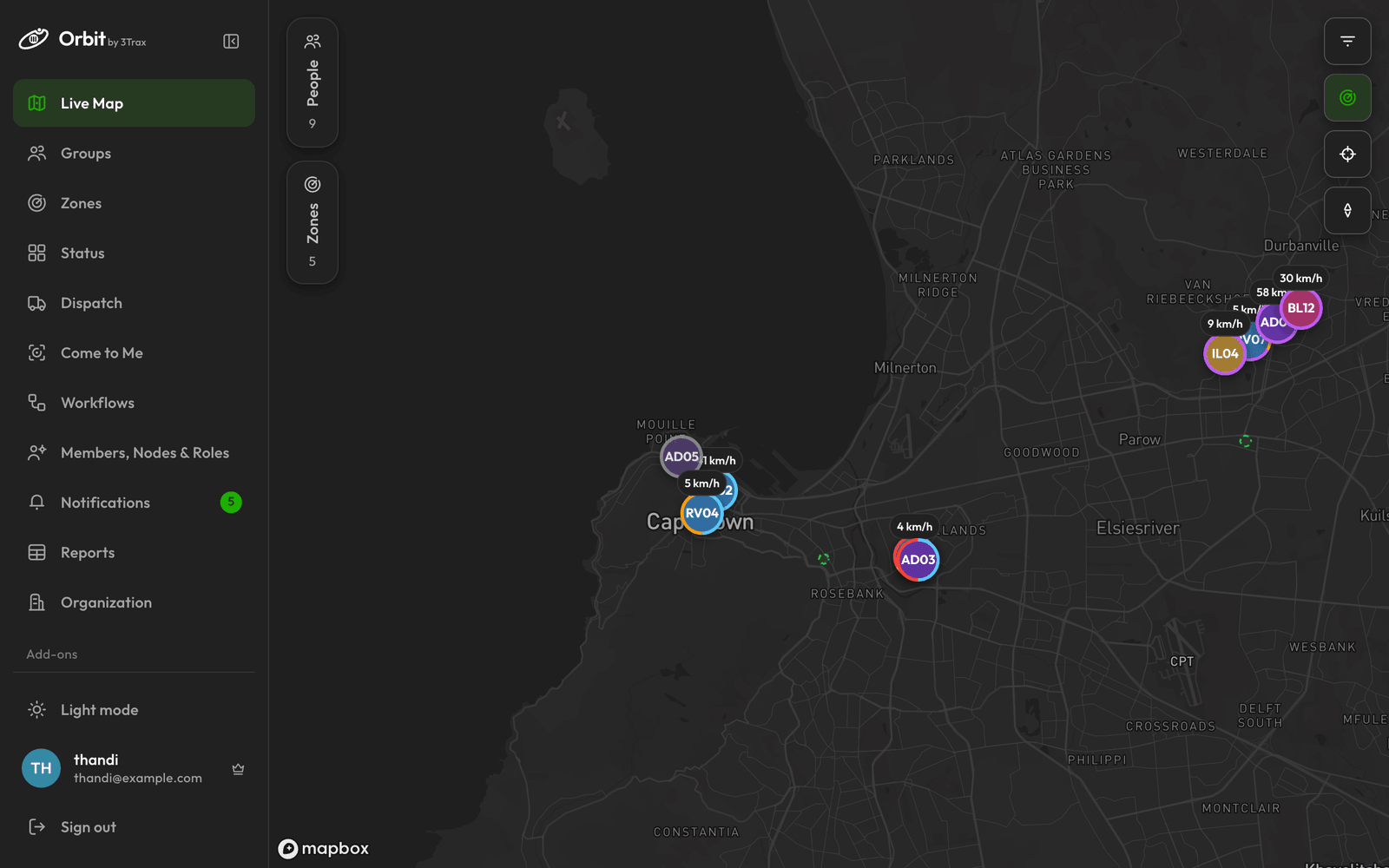
The 3Trax web command centre. See your nodes on a live map, organise them, and act on what you see.
A node is a phone running the 3Trax Node app, carried by a person or kept in a vehicle. Orbit shows where your nodes are and lets you group them, draw zones, send them jobs and message them.
Getting around
Everything is in the sidebar on the left. What you see there depends on your role and on what your organisation has switched on.
| In the sidebar | What it's for |
|---|---|
| Live Map | Where every node is now |
| Groups | Sort nodes into teams |
| Zones | Get alerts when nodes enter or leave a place |
| Status | A board of what each node is doing |
| Dispatch | Send a node to a job |
| Come to Me | Text a link that asks someone for their location |
| Events | Run a race or other event |
| Messages | Chat with nodes and groups |
| Analytics | Trends across your fleet |
| Members, Nodes & Roles | Add nodes and people |
| Notifications | Your alerts |
| Reports | Raw data to read or export |
| Organization | Your organisation's settings |
To switch between the light and dark look, click Light mode or Dark mode at the bottom of the sidebar.
Add-ons
Some areas are add-ons. Dispatch, Come to Me, Events, Messages and Analytics only open when your organisation has switched them on. Until then they sit under Add-ons in the sidebar with a lock.
Opening a locked add-on shows a page that explains it. If you are the owner, click Enable in Organization. Anyone else needs to ask the owner.