Running the event in Orbit
Set up the race, get riders tracked, and watch it on the day.
ForRace control
The Munga 2026 · 25–30 November 2026 · Bloemfontein to Wellington
Read Events for the general guide. This page covers what's different about a long race.
What Orbit does and doesn't do
An event has one start and one end, one course and a live map. Orbit doesn't have checkpoints with times, results, leaderboards or stages, so keep those in your own system. Bib numbers don't appear on the event map.
Before the race
Create one event
- Under Events, click New event, and enter the Event name.
- Choose the riders' group under Groups taking part.
- Set Starts for the start. Set Ends late enough for your last finisher.
- Under Route, click Upload a GPX file. The route isn't out yet, so come back to this when it's posted.
Get riders on
Pick one way and tell every rider before they travel.
- By event code: in the event, tick Let people join with an event code, choose the group under People who join go to, and set Up to high enough for the field and spares. Only an owner or admin can change this.
- By node login: use Import nodes, which can send sign-in instructions in bulk.
Riders use Before the race. Under-18s have a consent step in either case.
Add zones for race villages
Zones can alert you when riders enter or leave a place. Once you have the locations, add one for each race village and assign it to the riders' group. Zones alert people, but they don't record race times.
On the day
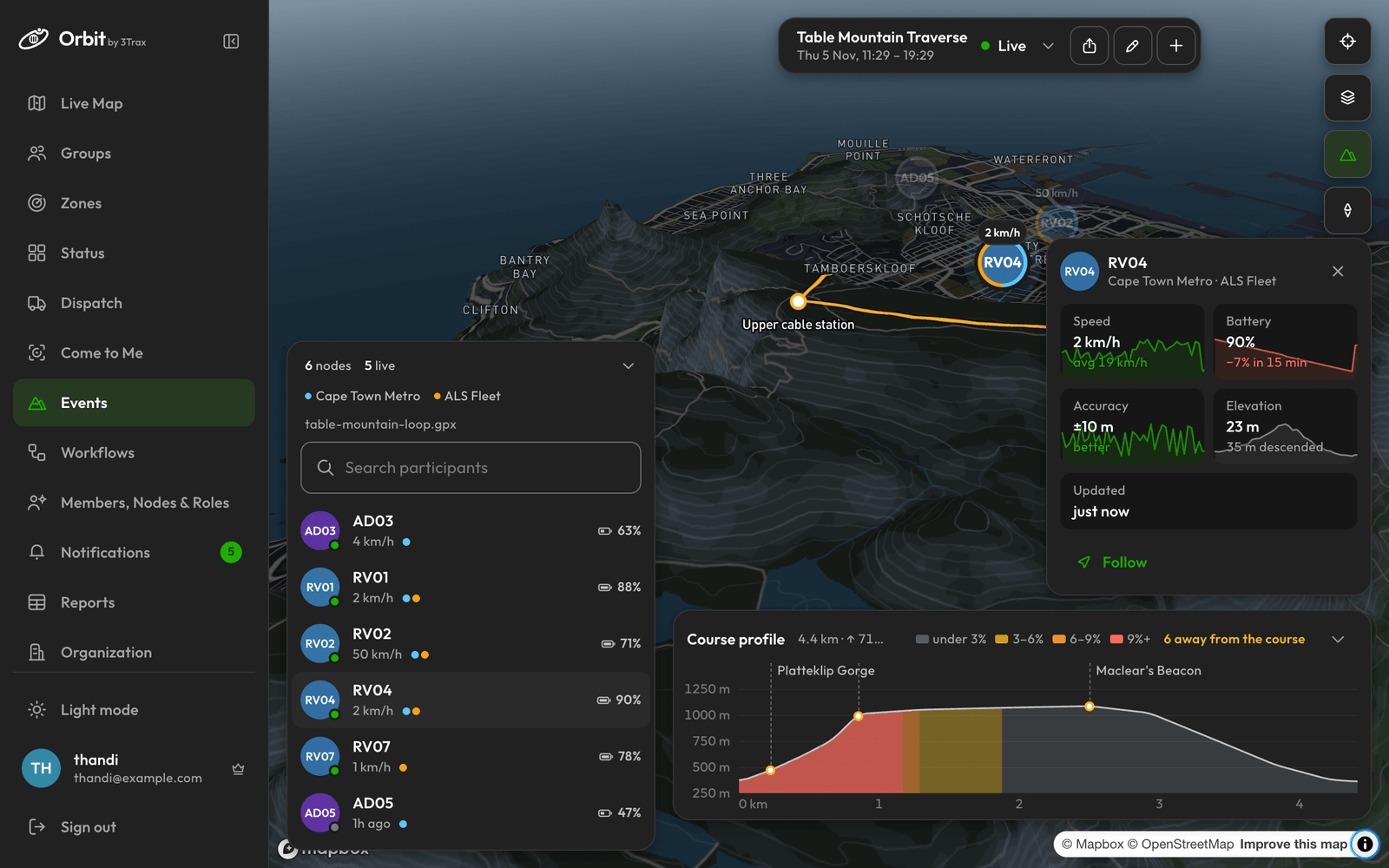
- The panel shows how many riders are live and how many are off course.
- A rider marked “Off the course” is hidden from the map and from spectators, but stays in your list. To change how far counts, edit Only show nodes near the course.
- Battery shows on each rider's row and card. Expect it to fall, and expect gaps where there's no signal.
- Course profile shows where everyone is on the climbs.
When someone raises an SOS
A red bar appears on every page of Orbit. See SOS alerts. Agree before the race who responds, and how you reach the race's medical team, because Orbit doesn't assign or close an SOS.
An SOS raised with no signal arrives later, and it says when and where the rider pressed it. Check that time before you act.
Sharing with supporters
Click the Spectator link icon and use Copy with notice. Supporters follow Following the live map. If a link gets out of hand, Replace link stops the old one at once.